How to Booking asset
Login to App with your credential
If success will be directed to the screen Homepage
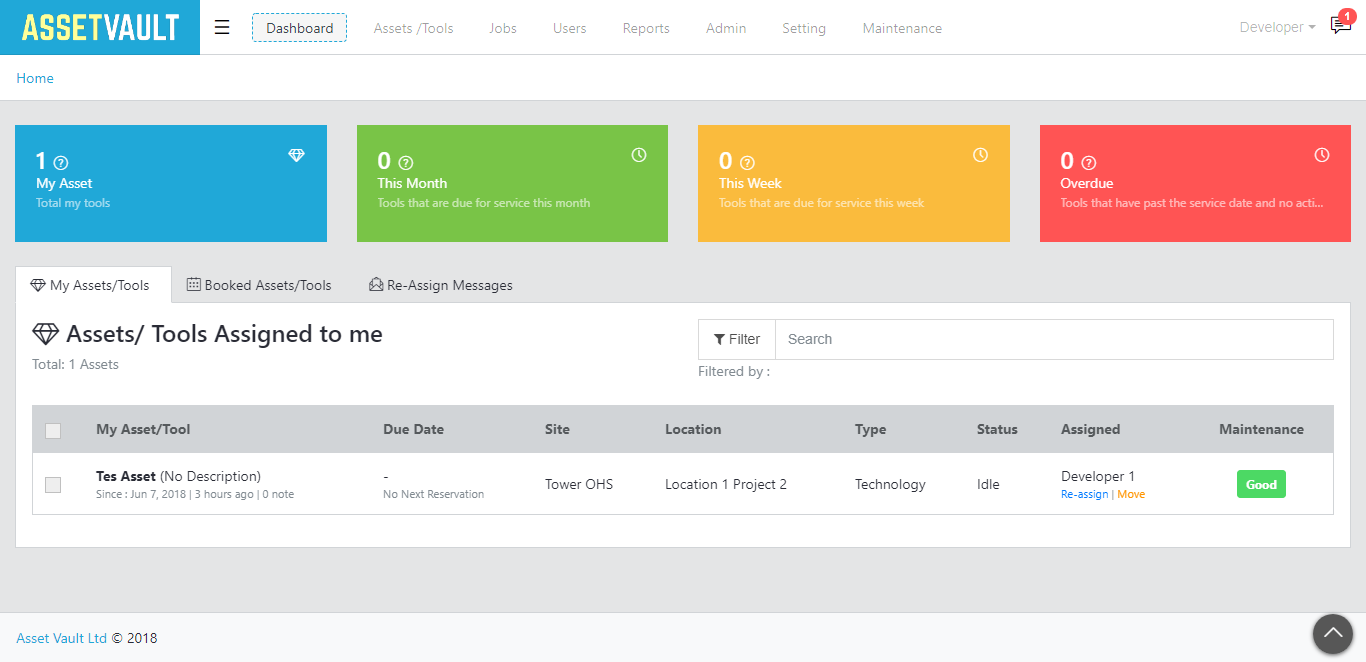
Click Assets/Tools in top menu
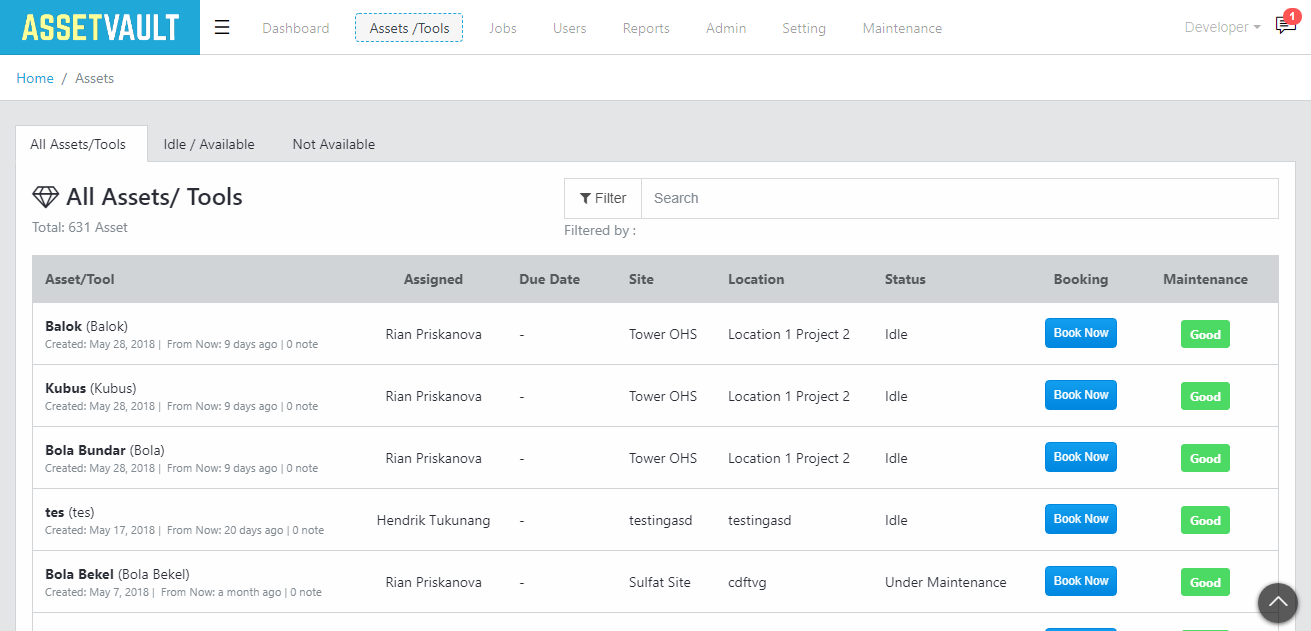
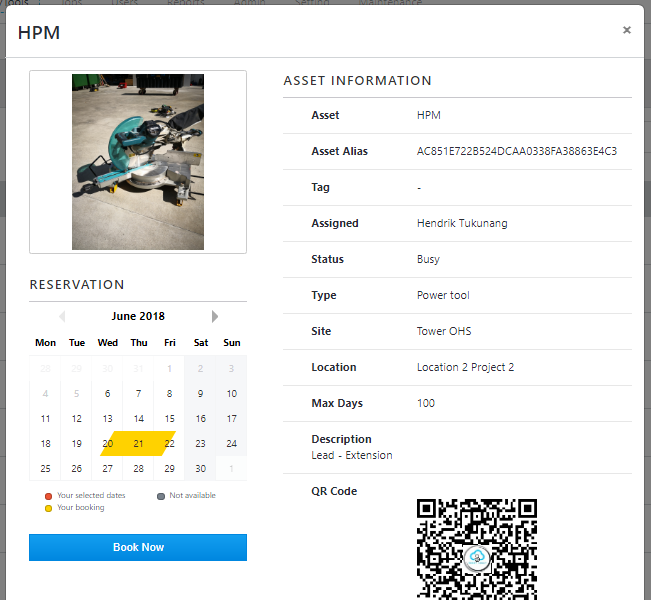
Click Book Now, a popup window will appear containing the asset information details.
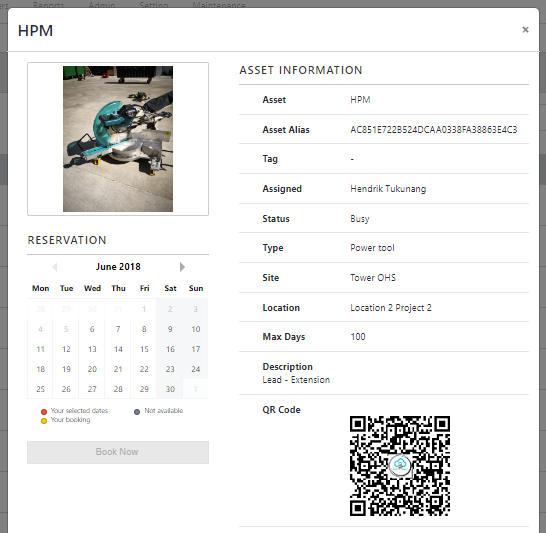
Then select the date of the order, as shown below, then the Book Now button will be automatically, click Book Now
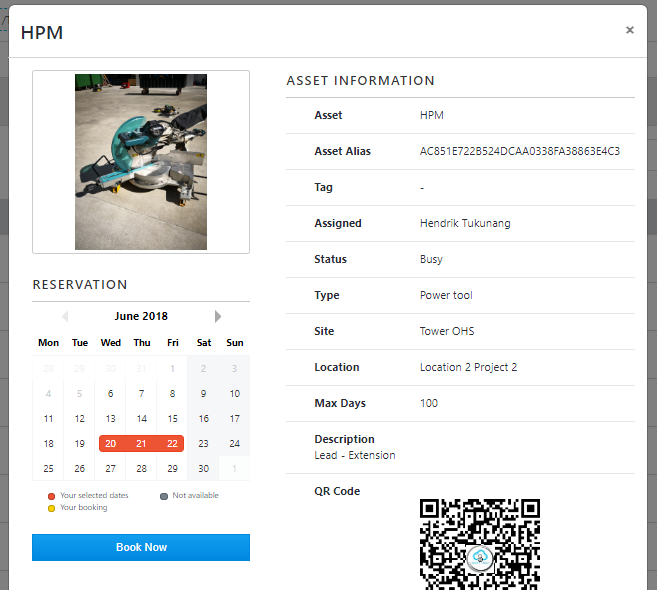
After clicking Book Now, will appear as shown below. Then fill Site, Location, Description and click Book
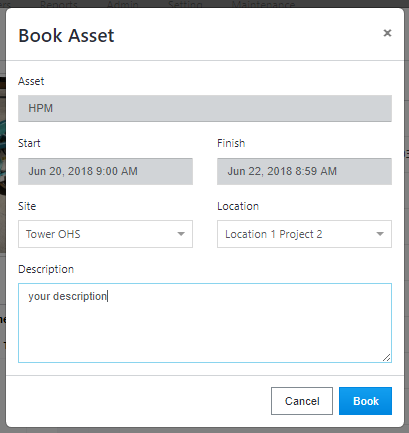
If the booking process is successful, in the popup window, the reservation date will change according to the date of the user's booking
- finish.